Assign Discord roles based on Shopify purchase
Map a Shopify product purchase to a Discord role so buyers can claim private channel access without staff checking orders by hand.
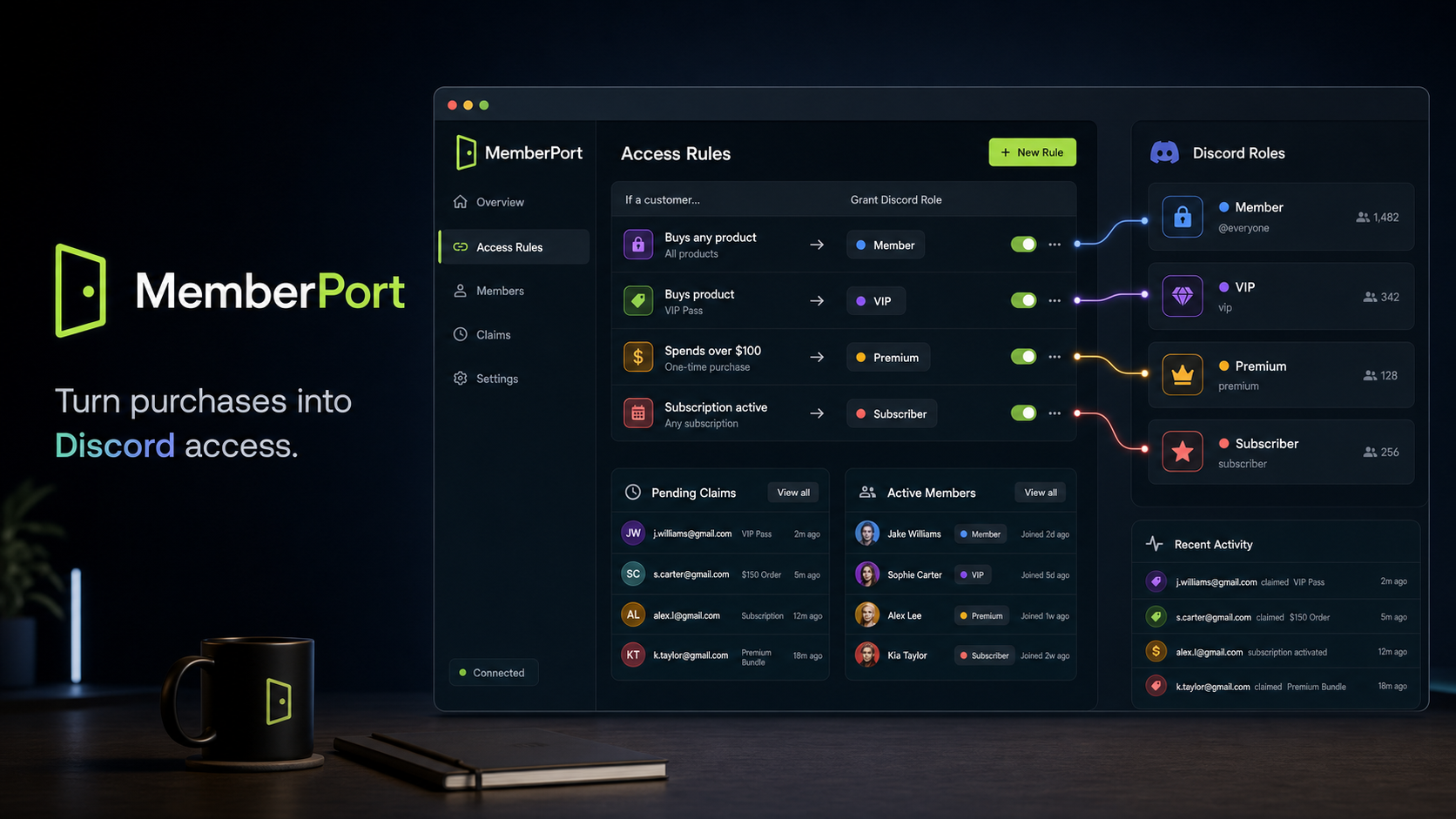
MemberPort beta
A Shopify Discord integration for VIP access, paid communities, and automatic role grants. Sell in Shopify, let customers claim Discord access, and grant the right role when they qualify through purchases, customer tags, or spend thresholds.
What it is
MemberPort helps Shopify merchants sell Discord access through Shopify and automatically assign Discord roles after qualifying purchases, customer tags, spend thresholds, or subscription product rules.
Map a Shopify product purchase to a Discord role so buyers can claim private channel access without staff checking orders by hand.
Turn tags like VIP, wholesale, member, subscriber, collector, or loyalty tier into Discord roles for gated community access.
Keep Shopify as the commerce source of truth while MemberPort handles Discord claim links, pending grants, role status, and member tracking.
Access flow
MemberPort handles the path from a qualifying Shopify customer to a linked Discord account with the correct role, then keeps the merchant informed inside the admin.
A purchase, customer tag, spend threshold, or subscription product concept matches an active rule.
The customer gets a Discord claim path through email or a Shopify storefront/theme block.
The customer authorizes Discord so MemberPort can connect the Shopify customer record to their account.
The hosted bot adds the member to the server and grants the matching role once the account is linked.
Why it exists
Merchants already know who paid inside Shopify. MemberPort keeps that purchase context connected to the Discord member experience, reducing manual order checks, shared invite links, delayed VIP access, and messy support threads.
See Discord connection status, active rules, linked members, waiting customers, grants, failures, and recent activity.
MemberPort checks Discord role order so merchants can see when the bot cannot grant a selected customer role.
If a customer qualifies before connecting Discord, MemberPort keeps the grant pending and applies it after the claim flow.
Access rules
Grant a VIP, member, collector, or support role when a customer buys a qualifying product.
Use Shopify customer tags as a clean way to unlock private channels or tiered community access.
Reward high-value customers with Discord roles based on order total or spend thresholds.
Built for
Sell access in Shopify and let Discord become the member destination.
Give tagged or high-spend customers a private role without manual staff checks.
Connect collectors and product buyers to the right channels after purchase.
Gate private support or course channels around Shopify customer status.
Answers
MemberPort is a Shopify Discord integration that turns Shopify purchases, customer tags, and spend thresholds into Discord claim links, automatic role grants, and member access tracking.
With MemberPort, a merchant creates an access rule that maps a qualifying Shopify product purchase to a Discord role. When the customer claims access and connects Discord, MemberPort grants the matching role through the hosted bot.
Yes. MemberPort supports customer tag rules, so a Shopify tag such as VIP, subscriber, wholesale, loyalty, or collector can qualify a customer for a matching Discord role.
Yes. MemberPort is built for merchants who want Shopify to handle the purchase while Discord becomes the member destination for VIP channels, private support spaces, product-gated communities, or paid memberships.
Shared invite links are hard to control. MemberPort uses claim links, access rules, pending grants, and member status tracking so Discord access is connected to the customer record inside Shopify.
Beta access
MemberPort is in beta. The current focus is helping Shopify merchants test clean access rules, Discord claim links, automatic role grants, and admin-side member tracking.